Features Compare Pricing Security About Sign in Start free trial
HomeFeatures
The complete platform

Every workflow between you and your clients, in one login.

MaestroX Studio was not built to be a prettier task list. It was built inside a working agency to run the real work between a marketing team and the people it serves: social content and approvals, creative assets, campaigns, shoots, discussions, billing, contracts, cross-channel reporting, and CosimoAI, an assistant that works inside your process under your direction. Here is each piece, and how it connects to the rest.

Asset Library · Digital asset management

Your clients' creative library, finally organized as if it mattered.

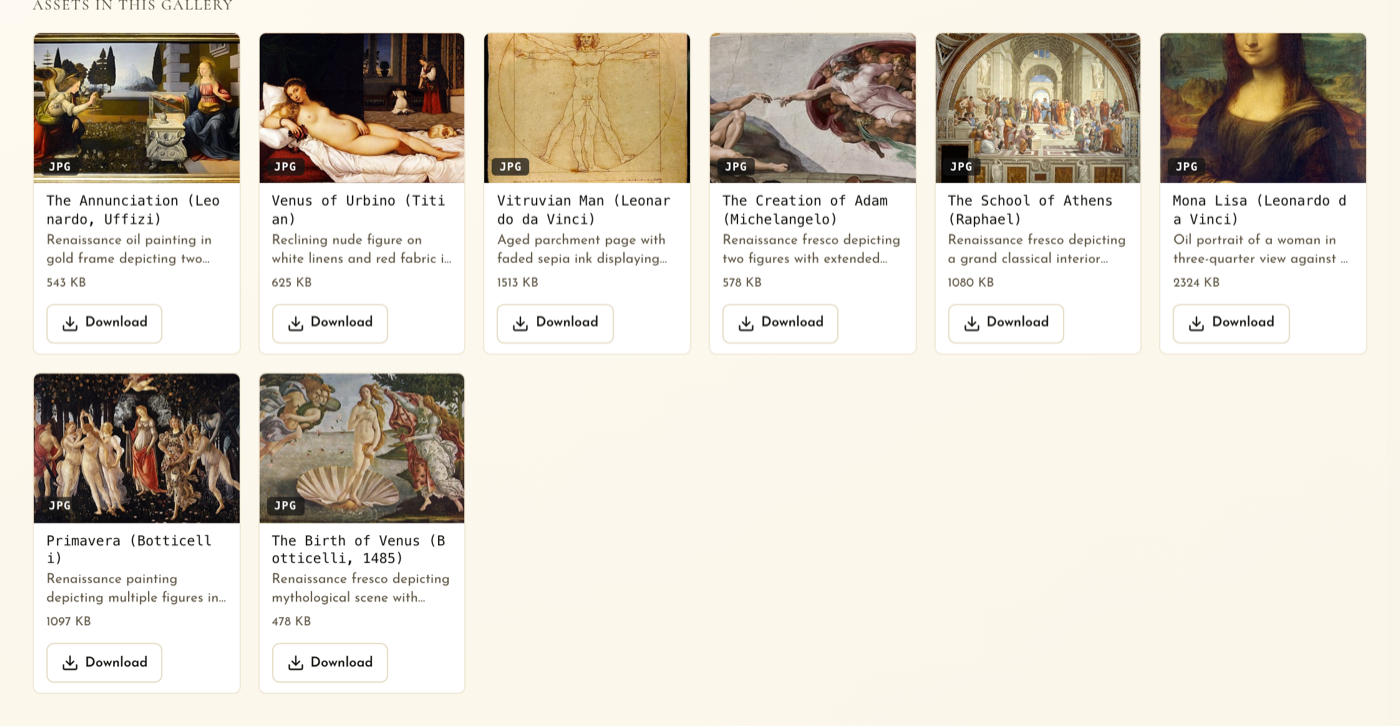
Every client has assets. Most are scattered across drives, folders, text threads, and expired links nobody trusts. MaestroX Studio gives each client a living creative library: nested galleries, previews, one-click downloads, share links, product metadata, automatic descriptions, and search that understands what is in the picture, not only what the file was named.

  • Organize by gallery, collection, shoot, campaign, product, or client, with cover images and shoot dates
  • Search filenames, tags, product notes, AI vision descriptions, and video and audio transcripts
  • Uploads to 15 GB with resumable transfer; previews for photo, video, PDF, and camera RAW
  • Expiring share links with no account required, and a phone-native library for capturing on set
Explore asset management
A client asset library gallery in MaestroX Studio with AI-written descriptions, file sizes, and one-click downloads
Social Content · Approvals · Publishing

Plan the calendar. Build the posts. Route approvals. Publish on time. Measure what happened.

Social content should not live in a spreadsheet, an approval email, a shared drive, and a scheduler at the same time. MaestroX Studio brings the entire social workflow into one place, from the first idea to the published post to the numbers it earned, with your client's approval recorded along the way.

  • Visual calendar for scheduled, draft, pending, and approved posts, with drag-to-reschedule and drag-a-photo-onto-a-day drafting
  • Multi-network composer with per-platform captions and previews, carousels, first comments, and stories
  • Configurable multi-step approvals, client comments and feedback, a guided approval wizard, and resubmission
  • Automatic publishing to LinkedIn, Instagram, and Facebook; optimal-time suggestions; per-post reach and engagement after it goes live
See the social workflow
The MaestroX Studio social composer with an Instagram preview, caption, first comment, and the draft-to-published approval track
CosimoAI · The AI assistant your team directs

An assistant that works inside your process, under your judgment.

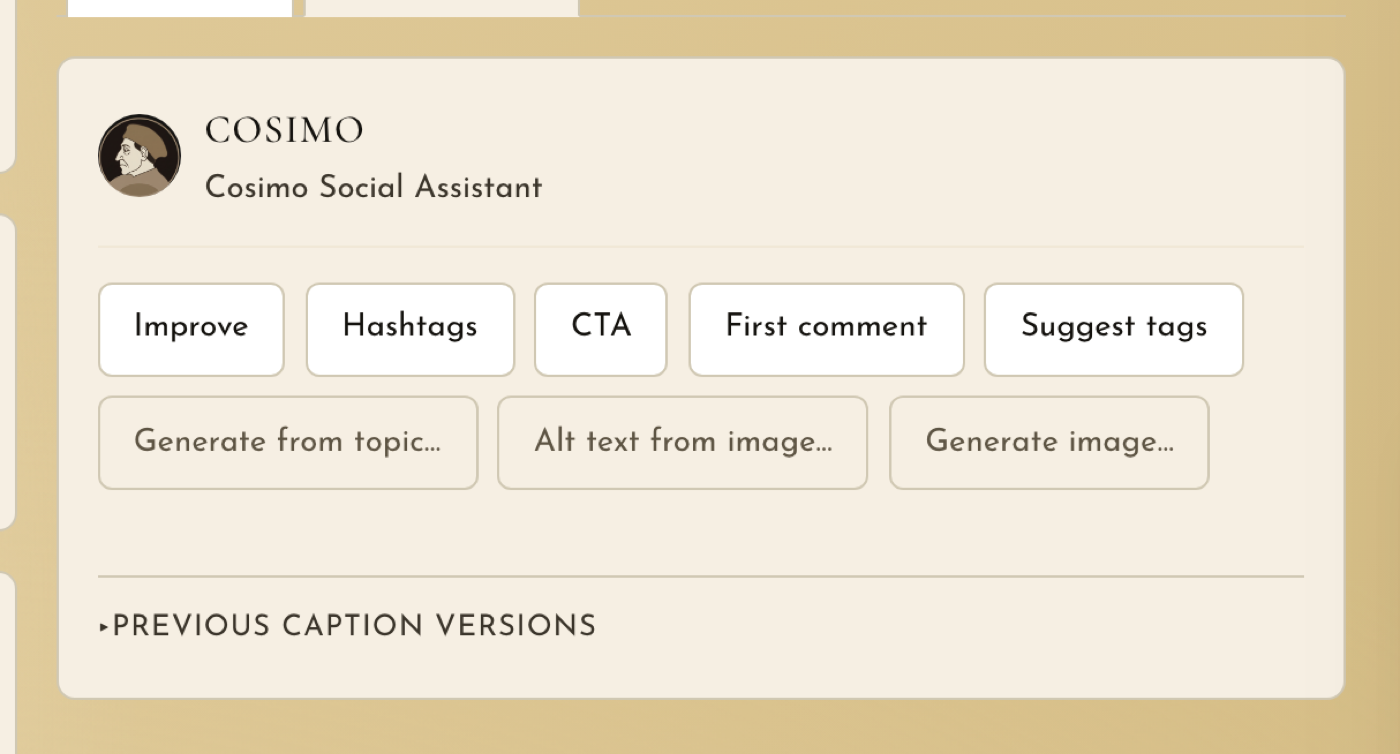
CosimoAI is not a chatbot in the corner of the product. It is woven into the work at the moments where a blank page or a pile of data slows a good team down. It drafts a batch of platform-ready posts from a gallery, tightens a caption, suggests hashtags and a call to action, writes alt text, describes images and transcribes video so the library becomes searchable, helps outline a creative brief or media plan, generates and edits on-brand imagery for a post when the library has no photograph for it, and reads a month of cross-channel results like a senior analyst. The difference is context: it writes from each client's brand profile, so it sounds like the boutique, the bank, or the restaurant group, not like "fashion content."

  • Draft platform-ready posts from selected assets or a whole gallery, curated rather than dumped, with carousels grouped and no image reused
  • Grounded in each client's voice, signature vocabulary, banned words, content pillars, audience, and product metadata
  • Describe and tag images, transcribe video and audio, and write a balanced Performance Analysis across every connected channel
  • Generate and edit on-brand imagery from the client's visual style and palette, sized for each network, for the post that has no photograph yet
  • Optional per client. Nothing publishes or goes to a client without a person on your team approving it
Read how we think about AI
CosimoAI, the MaestroX Studio AI assistant, with one-click actions to improve a caption, suggest hashtags, add a call to action, and write alt text
Campaign Management

Give every campaign a home before it becomes a scramble.

Campaigns are where strategy, creative, assets, timelines, approvals, and reporting collide. MaestroX Studio keeps the whole campaign in view: the brief, the media plan, the tactics and deliverables, the assets and copy the client owes you, the posts scheduled against it, and the results, all in one hub that the account team, the creatives, and the client read from the same page.

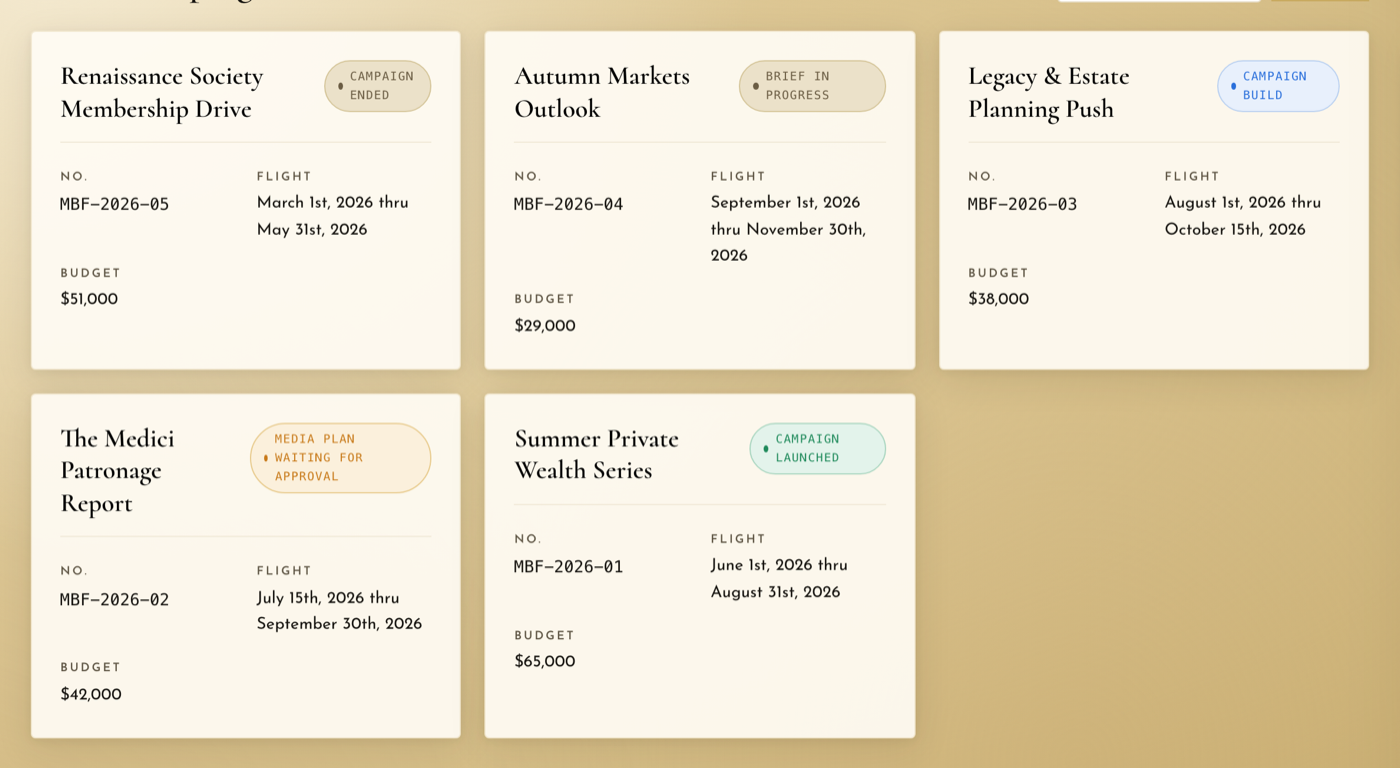
  • Campaign hubs per client with flight dates, budgets, and status from brief to launched to ended
  • CosimoAI-assisted brief and media plan drafting, with client review, revisions, and approval built in
  • Tactic-level asset and copy collection with partial submissions, version history, and non-destructive changes
  • Social posts linked to a campaign for unified reporting; out-of-home placements bridged to tracked landing pages
Build better campaigns
Campaign cards in MaestroX Studio showing flight dates, budgets, and status from brief to launched
Creative Shoot Management

From shoot request to delivered assets, without losing the thread.

Shoots produce some of the most valuable assets a marketing team owns, and a long list of details: dates, locations, participants, vendors, shot lists, call times, reminders, and delivery. MaestroX Studio gives shoots a real workflow, and the finished assets land straight in the client's library where the next campaign will find them.

  • Clients request a shoot from their calendar, and the team is notified instantly
  • Rosters for participants, vendors, talent, and team members, with briefs, locations, and call times
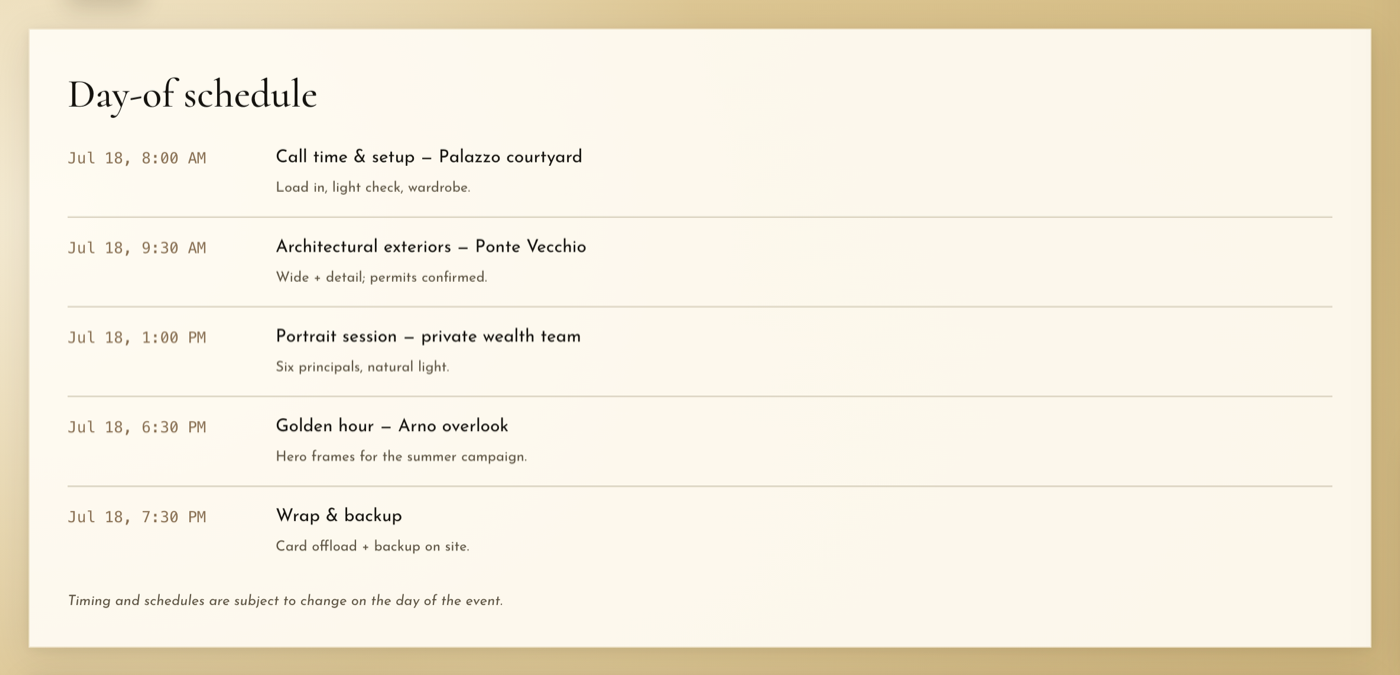
  • Day-of schedules and automated reminders so nobody arrives at the wrong courtyard
  • Delivered assets connect to the client library, described and searchable the moment they upload
Manage creative shoots
A creative shoot day-of schedule in MaestroX Studio listing call time, locations, sessions, and wrap
Discussions

Stop letting client decisions disappear into email.

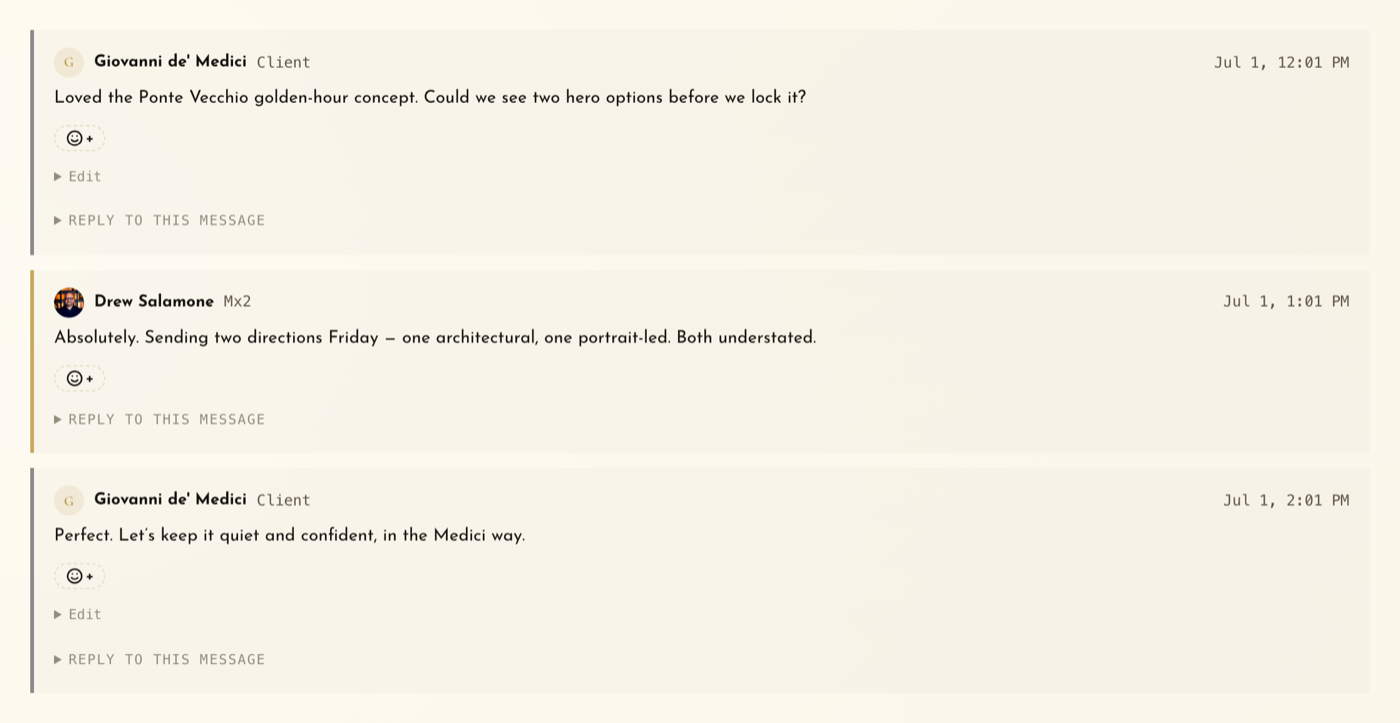
Email is where clarity goes to die. MaestroX Studio gives every client a dedicated discussion space where the right people see the right conversations, internal notes stay internal, decisions are searchable, files stay attached to the thread that created them, and everyone can see who has read what.

  • Shared, team-only, or restricted visibility per thread
  • @mentions with autocomplete, reactions, rich formatting, and file attachments
  • Reply by email, and the response lands in the thread with read receipts per person
  • Subscriptions with in-app, email, and SMS alerts
See discussions
A MaestroX Studio discussion thread between a client and the agency team about hero photography options
Billing + Contracts

Bring the business side into the same place as the relationship.

Client work does not end when the campaign launches. There are agreements to sign, invoices to pay, and balances to review. MaestroX Studio connects billing and contracts to the portal, so the commercial side stays visible without turning account managers into collectors, and a signed agreement becomes a provisioned workspace in one motion.

  • QuickBooks Online customer sync, invoicing, and a client-facing balance view
  • Payment links and card-on-file through QuickBooks
  • Branded MSA and SOW generation from your own templates, with a guided four-step e-signature
  • On signature: the client workspace is provisioned and a welcome email with next steps goes out automatically
Explore billing and contracts
Billing · Medici Bank of Florence
Balance due$4,500
May retainer$3,500
Spring shoot$1,000
Synced with QuickBooks · Pay with card on file
Cross-Channel Reporting

Reporting that reads every channel together, then tells you what to do next.

Monthly reporting should not be screenshots pasted into a deck the night before the call. MaestroX Studio pulls website, search, social, and text performance into one branded report, in the same place the work was planned, approved, and published. Then CosimoAI writes a Performance Analysis the way a senior analyst would: the single most important storyline first, what is working and what needs attention with real numbers, notes per channel, and action items specific enough to start this month. When your client asks a follow-up, Ask CosimoAI answers from the data on the page and nothing else.

  • Google Analytics 4: traffic, acquisition, top pages, audience, and geography, with change versus the prior period
  • Google Search Console, LinkedIn Page analytics, per-post Instagram and Facebook metrics, and SMS campaign results
  • Cross-channel Analysis and Ask CosimoAI, grounded only in the report's own numbers and cross-referenced where the data supports it
  • Date ranges, tabbed drill-downs, a branded print and PDF layout, and a mobile view
See reporting
Client Report · Performance Analysis
48.2k
Sessions
+31%
Engagement
1,904
Search clicks
Action item 1 · Organic search delivered 41% of sessions; the two strongest landing pages match the top LinkedIn posts of the period. Promote both to Instagram in the next two weeks.
Notifications & SMS

The moments that matter should not get buried.

Not every update deserves a text. Some absolutely do. MaestroX Studio supports email, an in-app notification center, and opt-in SMS alerts, so every user chooses how they hear about new comments, approval requests, client requests, deliverables, and publishing errors, and the right people find out quickly.

  • Email, an in-app notification center, and opt-in SMS alerts
  • Per-user, per-event preferences in each person's own settings
  • Approval, comment, request, delivery, digest, and error events
  • Transparency after every send: exactly who was notified, and why
Explore notifications
Notifications
Approval requested: Spring drop, Thursday post
New comment from the client owner
SMS sent to 2 people · texted at 9:02 AM
White-label ready

Your portal. Your brand. Your client experience.

MaestroX Studio can carry your name, not ours. For agencies and multi-brand organizations that want the portal to feel like their own product, it supports white-label presentation, per-client workspace branding, a branded login, and a custom domain, so clients and stakeholders sign in to an environment that reads as an extension of you.

Higher tiers Included on the Enterprise plan. Available as an add-on on the Agency plan.
Custom domain: portal.youragency.com
Your logo, colors, portal name, and branded login
Role-based access and workspace isolation intact
Questions leaders ask before they switch

Straight answers. Especially about the AI.

Is this a way to replace my team with AI?
No, and we would be wary of any platform that said yes. We are an agency. Our clients pay for our judgment, and yours pay for yours. CosimoAI takes the first pass at the tedious parts: a first draft from the photos you already have, a description for every image so the library is searchable, a transcript, a first read of a month of numbers. A person on your team edits it, approves it, or throws it out. It cannot publish, cannot approve, and cannot message a client. And you can turn it off for any client who would rather not have it.
Does CosimoAI learn from one client's work and use it for another?
No. It works inside one client's workspace at a time and only uses that client's brand profile, assets, and report data. Nothing crosses over between clients, and we do not use your clients' data to train public AI models.
Which networks does it publish to?
LinkedIn Company Pages, Instagram (feed, carousels, and stories), and Facebook Pages (posts and stories). You schedule the post, it goes out at that minute, and its reach and engagement show up in the report afterward. You can plan and draft TikTok posts on the calendar today. Publishing straight to TikTok is on our roadmap.
What is in the report?
Website traffic from Google Analytics 4, search performance from Google Search Console, LinkedIn Page analytics, per-post Instagram and Facebook results, SMS campaign results if you run them, and activity inside the portal. Pick a date range, drill into any tab, and print a branded PDF. CosimoAI reads all of it together and writes a short analysis with specific next steps, and you can ask it follow-up questions about the numbers on the page.
We are an in-house team, not an agency. Does this still fit?
Yes. A client in MaestroX Studio is simply a workspace with its own people, library, calendar, approvers, and report. For an in-house team that is a brand, a region, a division, a franchise group, or a product line. Your central team keeps the standards and the overview. Each group gets its own room.
Can our clients see each other?
Never. Every client workspace is isolated. A client sees only their own work, and your team members see only the clients they are assigned to.
What do clients actually do in it?
Approve or comment on content, request a post or a shoot from their calendar, browse and download their asset library, follow discussions, check their invoices, and read their report. They do not need training, and they do not need to be in your inbox.
Can we put our own name on it?
Yes. White-label branding, meaning your name, logo, colors, and a branded login, plus a custom domain, are included on the Enterprise plan and available as add-ons on the Agency plan.
Do we pay for client users?
No. We count client workspaces and the seats your own team uses. The people on the client side, whether approvers, reviewers, or executives, are free, however many you invite.
How is our data protected?
Each client is an isolated workspace. Access is set by role and by product, so a client contact can be an approver in Social and have no access to Billing. Integration tokens are encrypted at rest, and a client can disconnect any integration whenever they want. We never sell data, never use it for advertising, and never use it to train public AI models. There is more on the Security page.
Are our files locked in?
No. Your assets are yours. Any gallery can be downloaded as a zip at any time, from the desktop library or the phone library.
How long does it take to get set up?
A workspace takes minutes: name the client, invite their people, connect their accounts, upload a gallery. Most teams move one client in during the trial and bring the rest over once they have seen it work. On the Enterprise plan we do the onboarding and migration with you.
The whole relationship in one place

See every workflow working together, on a real account.

Start a 7-day full-access trial and move one client into MaestroX Studio this week.
7-day free trial · Card required · Cancel anytime